Platform
A twin your team will actually believe.
Synopton joins the 3D asset, its cameras and every operational system into one model, then shows what is limiting the asset, what it costs, who owns it and what to do next.
The 3D twin
Built from your drawings, or loaded from your BIM.
Start with a procedural model generated from layouts and equipment lists, or drop in your own GLB or IFC. Cameras, sensors and work orders are placed in the model, so every number has a location.
- Several viewpoints per asset, from aerial to cutaway and subsurface
- Day, dusk and night, weather and haze
- A photoreal render mode for presentations
- Load your own .glb model straight into the scene
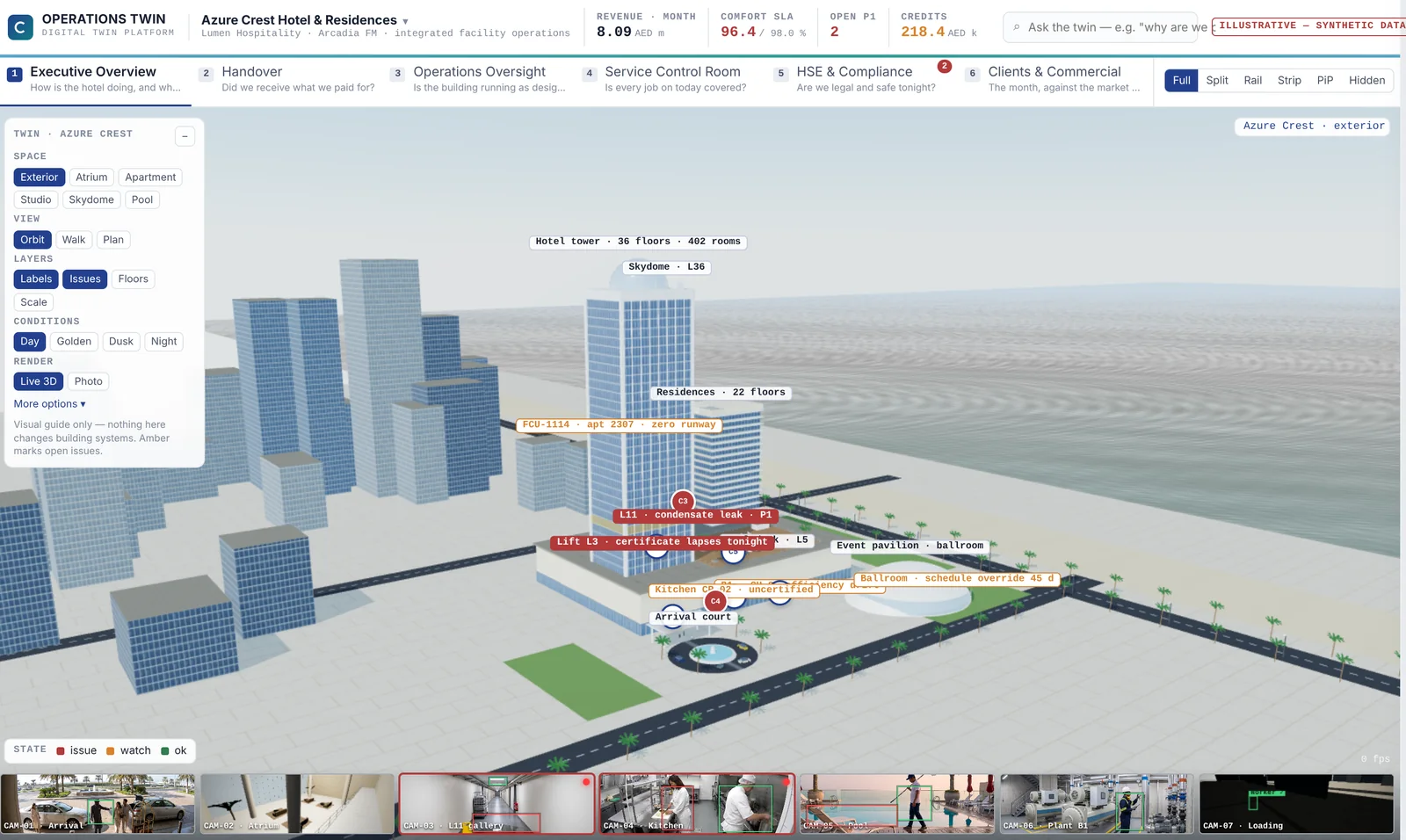
Every number shows its working
Five labels, used on every figure.
Each figure carries a provenance chip: measured, modelled, published, assumed or forecast. One click on “Why?” opens the inputs, the rule version, the sources and the reasoning steps behind it.
- Inputs listed with their own source and timestamp
- The rule applied, with its version
- Sources ranked by tier: contract, manual, procedure, model
- Assumptions stay labelled until someone measures them
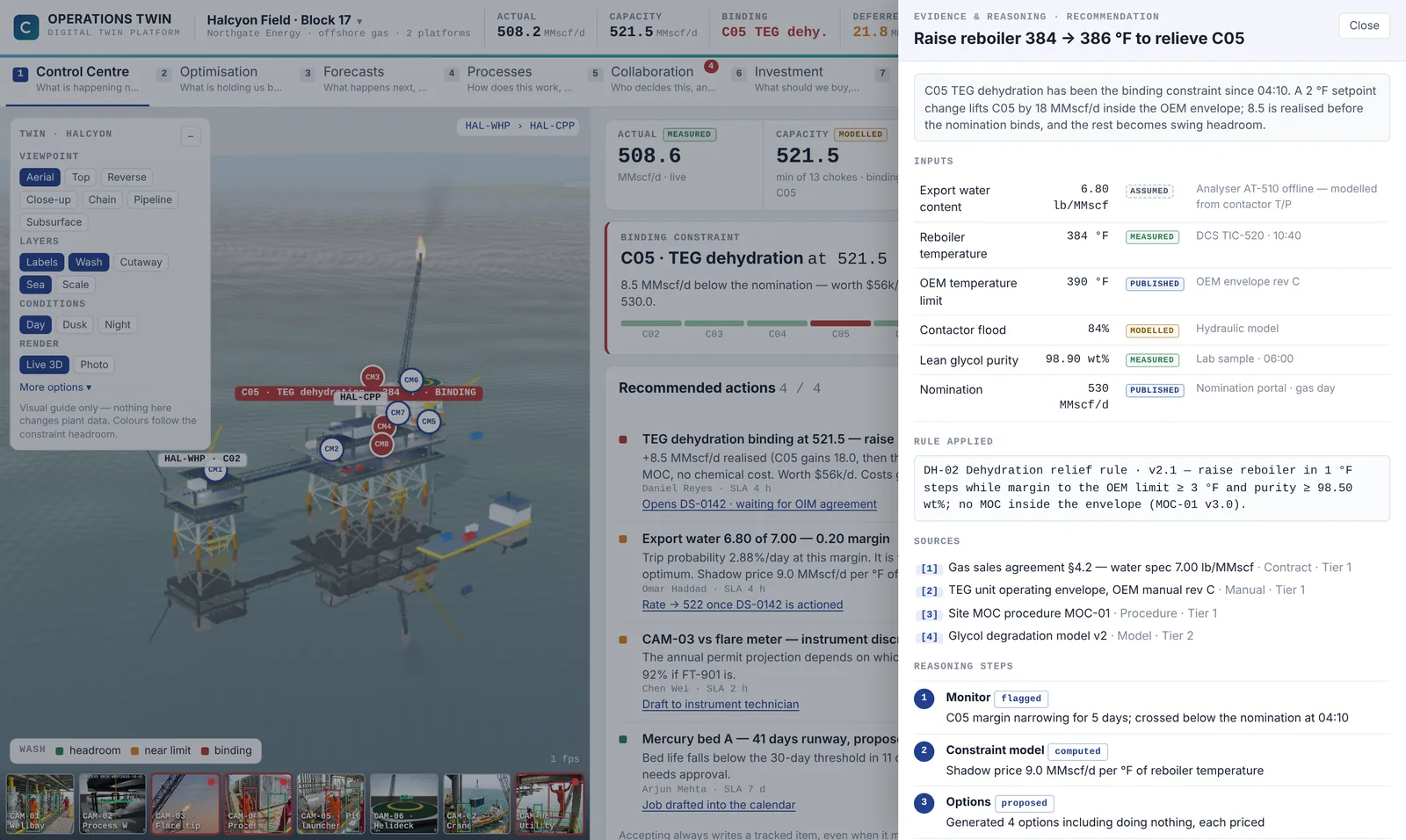
Ask the twin
Plain questions, answered from the twin’s own data.
Type “why are we below nomination?” and get the binding constraint, the gap, its daily cost and the fix, with a citation on every claim. Answers that can’t be cited are not shown.
- Answers drawn only from this twin’s data
- Every claim links to its evidence
- Suggested follow-up questions per asset
- Links straight to the decision record
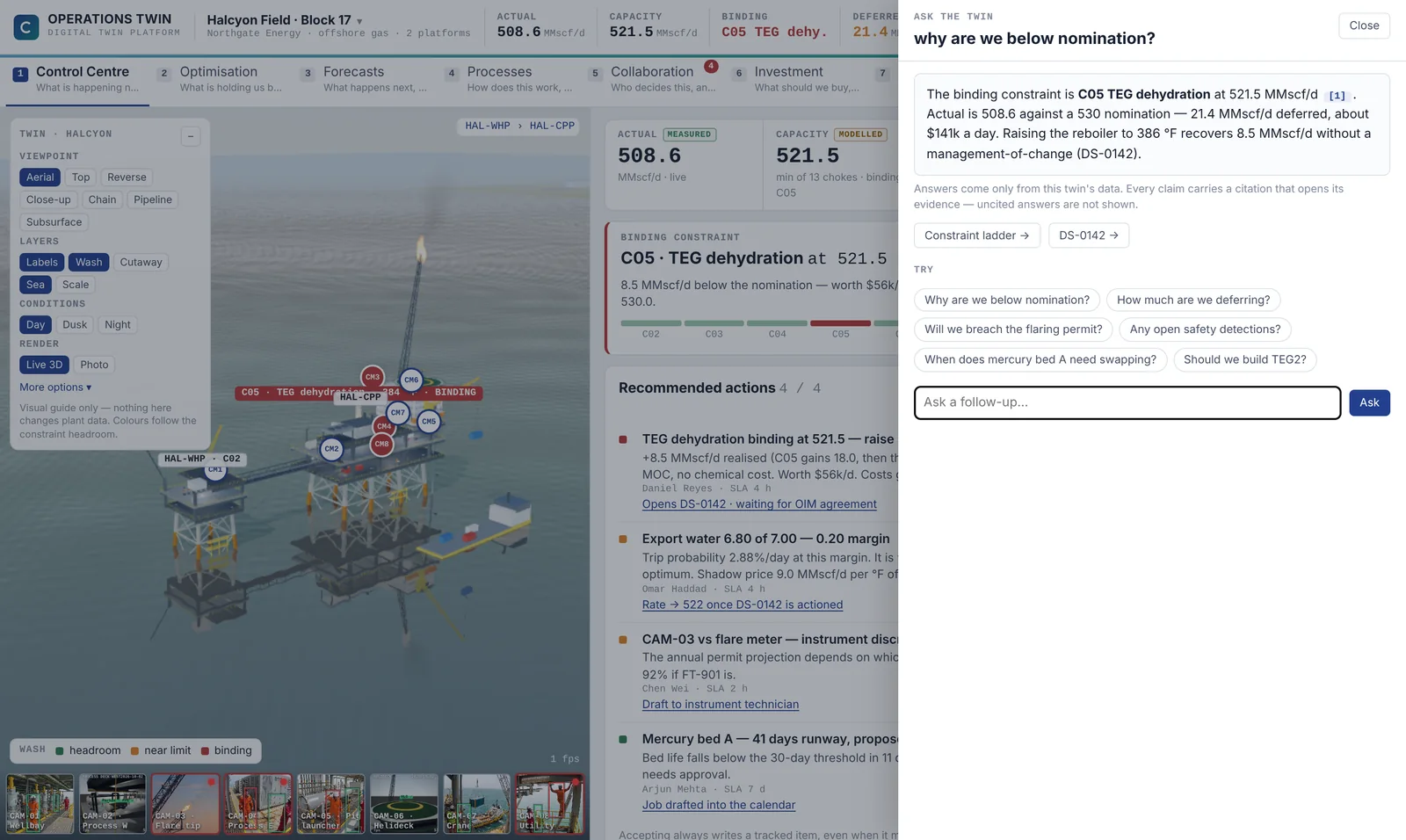
Decisions with an owner
From recommendation to record.
Every recommendation has an owner, an SLA and a price. Accepting one drafts a decision record that the right people agree to, and the twin then follows the measured result to show whether it worked.
- Recommendations priced per day of delay
- Decision records with agreement, owner and deadline
- The twin tracks the measured outcome after the change
- Accepting drafts a document. Nothing writes to the plant
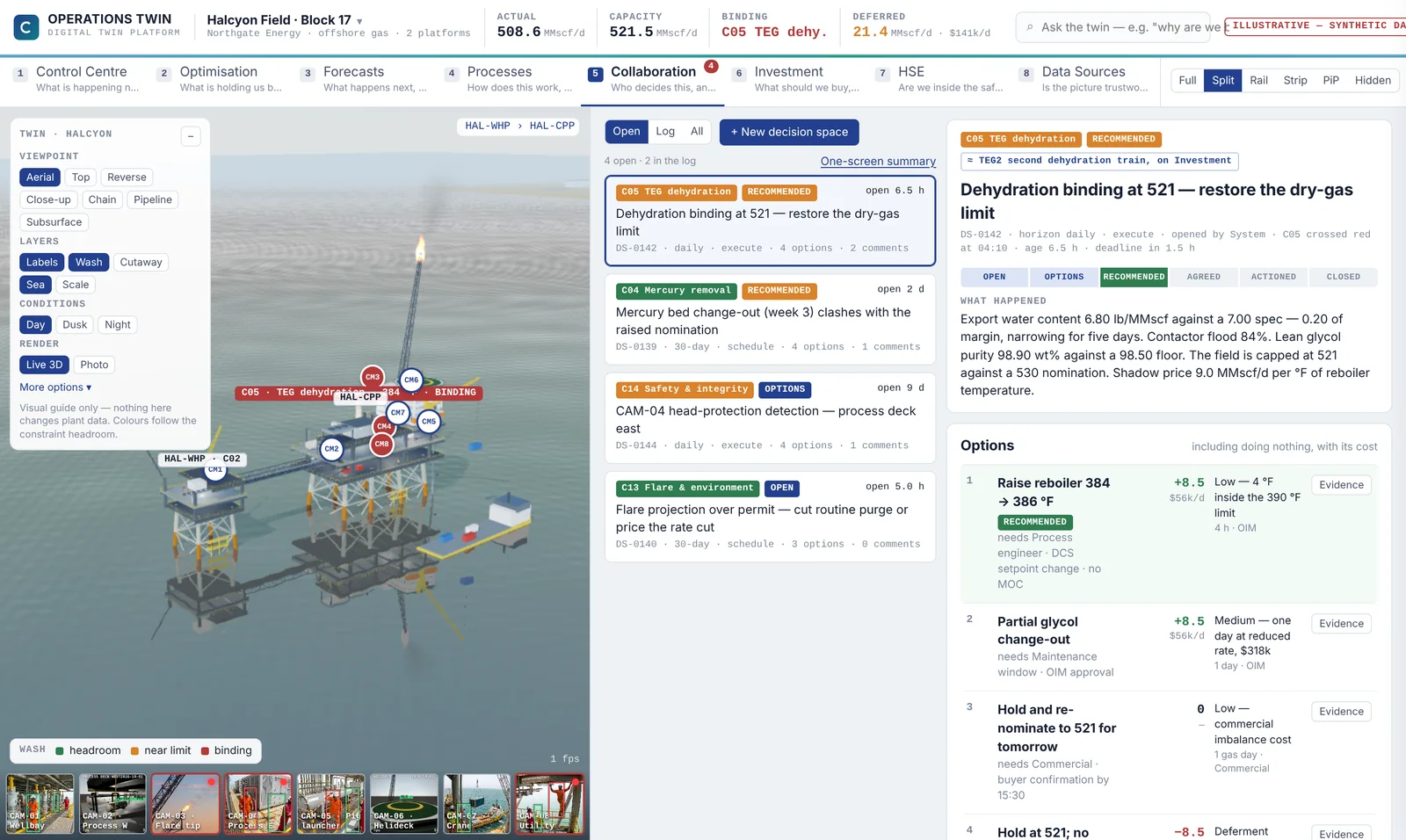
Camera AI, held as evidence
Detections a safety manager can act on.
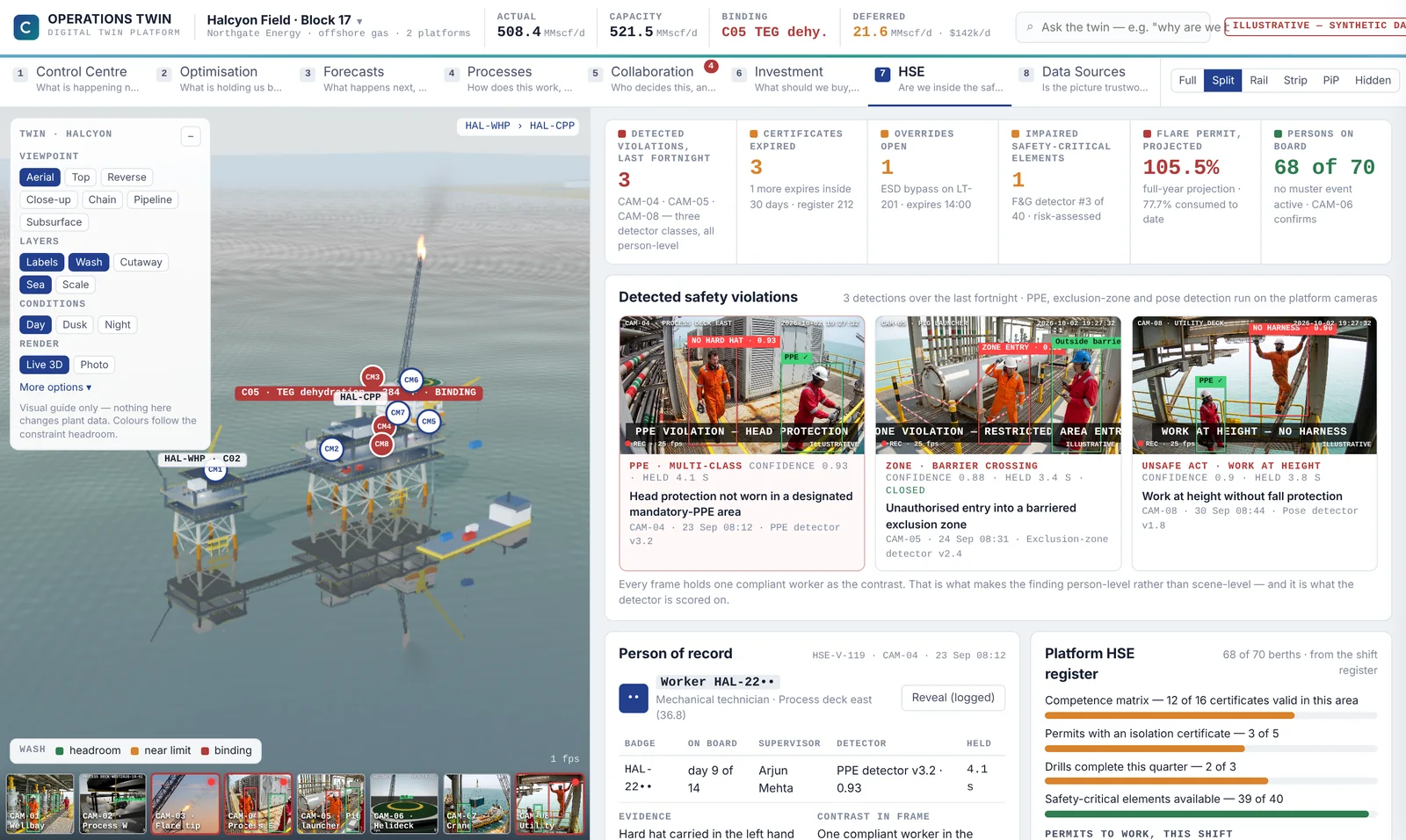
PPE, exclusion-zone and pose detectors run on the existing cameras. Each detection is person-level evidence, with the camera, time, confidence and a compliant worker in the same frame for contrast.
- Hard hat, harness and zone entry detection
- Camera mounts shown in the 3D twin
- Person of record revealed only on a logged request
- Certificates and permits checked against the detection
Is the picture trustworthy right now?
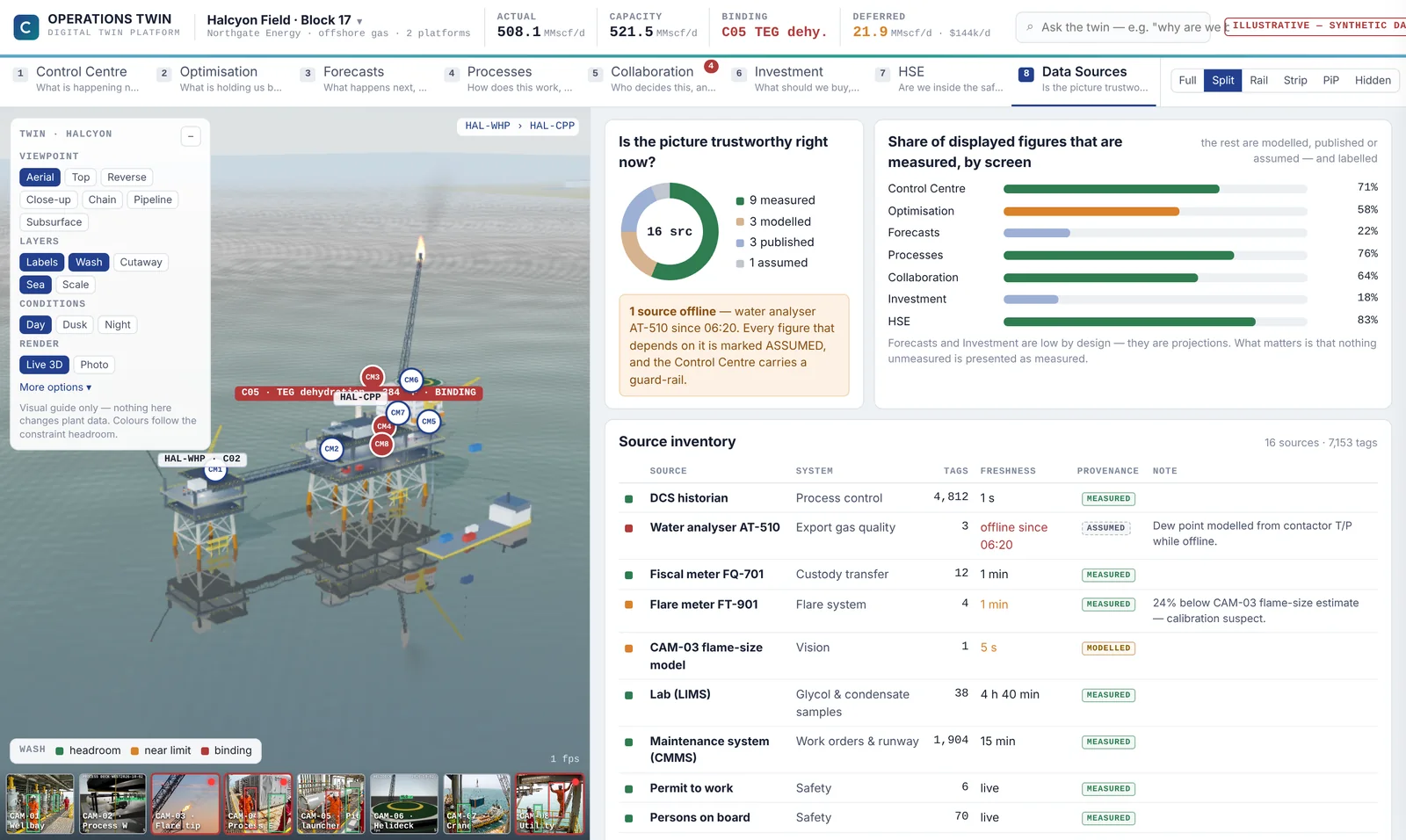
A screen that says what the twin can’t see.
When an analyser goes offline, the twin says so, switches the affected figures to assumed and tells you what not to do while it is blind.
- Live status of every connected source
- Figures switch to assumed when a source drops
- Clear warnings on decisions that depend on it
Security and deployment
Agreed during the pilot, written into the contract.
Synopton reads from your systems and never writes to them. It runs in a modern browser with nothing to install on operator machines.
By default
- Read-only connectors to every source
- Runs in Chrome or Edge, no client install
- Every answer and decision is logged
Agreed per client
- Hosted by us, or in your own cloud tenancy
- Which data leaves site, and how often
- Single sign-on and role-based access
- Retention of camera evidence
See it on your own asset.
Open the full interactive demo now, then book 30 minutes to scope a pilot on one of your sites.